I may earn a commission when you buy through links on the site at no extra cost to you. By using the links, you are helping support College EDC, and I genuinely appreciate your support.
The Best College Supplies and Tools to Boost Productivity
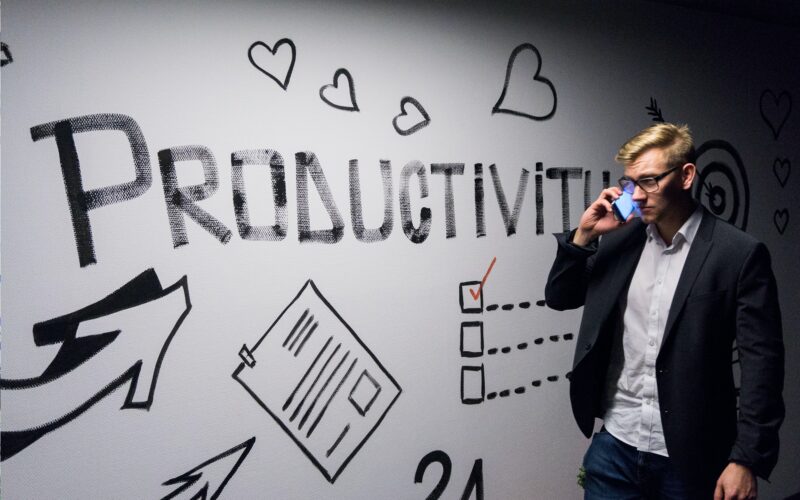
Having a productive day where you attend all your classes, get homework done, and finish other tasks can feel very satisfying. But it’s easy to fall into the trap of watching Netflix all day and not feeling motivated to do anything — trust me, I know.
Between poor life habits, being easily distracted, and feeling overwhelmed with so many responsibilities, trying to be productive is difficult. Fortunately, the college supplies and tools below will allow you to boost your productivity and work more efficiently so you can accomplish your goals with less effort.
College Supplies & Accessories
Being productive in college isn’t possible without the right items to help you stay organized and focused. In a stressful college environment, using these supplies and accessories to be productive can aid in decreasing stress levels and improving academic performance.

Rocketbook Academic Planner
You’ll be able to take your planning and note-taking to the next level with the reusable Rocketbook Academic Planner. The planner has 48 pages of innovative synthetic paper that can be completely wiped clean with a damp cloth.
But that’s not even the best feature — the planner gives you the ability to scan and upload all your notes to popular cloud services with the Rocketbook app. Each page in the planner has seven symbols, which can be assigned to specific cloud destinations of your choosing.
For instance, you can assign the diamond symbol to Microsoft OneDrive, and you can assign the clover symbol to iCloud. Once you assign your symbols to their destinations, all you have to do is scan a page with the Rocketbook app and click on one of the symbols. Once complete, your notes will be sent to one of your cloud applications.
The planner also has 13 different page types to improve prioritization, record class schedules, manage workloads, keep track of goals, and more.

Apple Watch
With a smartwatch, you can manage your time more efficiently and stay on top of daily tasks. If you want a versatile smartwatch that will boost your productivity, the Apple Watch Series 7 is perfect for you.
Its features include an always-on Retina OLED display, GPS and cellular capabilities, 64-bit dual-core processor, crack-resistant front crystal, IP6X dustproof, and swimproof. The watch also allows users to monitor their heart rate, take an ECG anytime, measure blood oxygen levels, and receive notifications of irregular heart rhythm.

Rocketbook Core Notebook
It’s not uncommon for students to go through a few dozen notebooks while in college if they prefer writing notes on paper. But with the Rocketbook Core, they won’t have to spend money on regular notebooks ever again.
Just like all of Rocketbook’s planners and notebooks, the Core uses reusable synthetic paper that can be wiped clean with a damp cloth and can be written on with Pilot Frixion pens. Also, the Core gives you the ability to scan and upload all your notes to various cloud applications with the Rocketbook app.
This way everything you write can be stored digitally and accessed anywhere on any device. And with its 32 eco-friendly pages, you’ll have plenty of space to write down notes for several classes. A microfiber cloth and a Frixion pen come included.

Whiteboard Calendar
These dry erase whiteboard calendars make it easy to visualize your monthly schedule so you can plan ahead and be better prepared. The adjustable hooks on this one allow you to hang it vertically or horizontally.
It’s also magnetic and has a blank whiteboard on the back if you want to write down to-do lists or important notes. 10 magnetic dry erase markers, four magnets, and a magnetic eraser are included with the whiteboard as well.

Beats Solo3 Headphones
A pair of these Solo3 headphones from Beats will help you stay focused while studying and working on assignments in noisy environments around campus. The Solo3 headphones have a sleek high-quality design, wireless bluetooth connectivity, and 40 hours of battery life. They also come in a few other colors.

Standing Desk Converter
There’s actually been studies done that show standing desks can boost energy levels and cognitive performance, which in turn increases productivity. And after sitting all day in classrooms or lecture halls, spending some time standing will be good for your overall health. Standing desks also helps promote blood flow and better posture.
While these type of desks are beneficial to your health and productivity, they are quite expensive and large. A more affordable alternative is this standing desk converter. This desk converter is more suited for small dorms and is easy to transport.

Anker Portable Charger
This power bank from Anker is a must-have item when your devices need a quick charge while you’re in class or around campus. It has a 20,000mAh battery capacity that provides four to five charges for phones and two charges for tablets.
Anker’s exclusive PowerIQ and VoltageBoost technology combines to deliver an optimized charge to devices. The twin-USB ports allow you to charge two devices at once. It also has USB-C and micro USB ports for more charging options.
Productivity Tools
Physical items like planners and headphones can certainly make you more productive, but the right productivity apps can take you to another level. Maximize your work efficiency and effectiveness with these digital tools.
Todoist
Todoist is a task management tool that can organize all your tasks, create project goals, set priority levels, track progress, and set deadlines. With Todoist, you’ll be able to account for everything going on in your busy lifestyle in one convenient place.
And what’s really nice about todoist is how you can access it almost anywhere — download it as a browser extension, install the app on any device, or install it in your email as an extension or add-on.
You can even integrate Todoist into dozens of other useful apps and tools. If you want to simplify your workflow and complete tasks more efficiently, then I highly recommend trying Todoist.
Evernote
One of the best note-taking apps available today is Evernote. It’s designed to organize any notes, pictures, videos, and audio recordings into file folders called Notebooks, which will be accessible anywhere via the cloud. Pretty much anything of importance to you can be stored and organized on Evernote.
The app’s user interface is simple to understand, making it easy for anyone to navigate. With Evernote, you’ll be able to prioritize notes and customize them by adding to-do lists and reminders. You can also connect Evernote to Google Calendar to receive notifications when you need to check notes for certain meetings and events.
Additionally, you’ll be able to use Evernote to scan handwritten notes, whiteboards, and receipts; clip and organize webpages with the Web Clipper integration; easily search for all your different notes with keyword tags; and combine notes with images, sketches, documents, and tables.
Trello
I used Trello when I did my internship for college, and I have to say, it’s an excellent place to manage all your different projects. It’s also completely free and has a simple user interface. That’s why I recommend using it if you need to collaborate with people on certain projects. Or just use it by yourself to keep track of all your college assignments and other tasks.
Trello essentially acts as a digital whiteboard for users to breakdown projects, see who’s working on specific parts, and track progress made. The collaboration tool uses boards to organize projects. In a board, you can create cards for specific tasks, goals, or general notes. When a card is made, you can modify it by adding dates, attachments, checklists, and other features.
Cards also have the ability to be automated and utilize features from a variety of integrated apps. Additionally, the visibility of each board can be changed to private, public, or to specific members in your workgroup.
Microsoft Office 365
I also used Office 365 in college since my school offered it for free for all students, and I can honestly say all the Microsoft apps and services available on 365 helped me immensely. You can enter your school email here to see if you’re eligible for Office 365. Once you sign up, you’ll have full access to all of Microsoft’s key tools:
- Word
- Powerpoint
- Excel
- OneDrive
- Outlook
- Teams
- Exchange
- OneNote
There’s a number of other Microsoft services available as well. Office 365 gives students the ability to store files, send emails, manage projects, keep notes organized, improve learning outcomes, and much more. With all the collaboration, organization, and productivity apps at their disposal, students will easily be able to boost their chances of success in college.
Grammarly
With 30 million daily users, Grammarly has become the most popular cross-platform grammar checker available today. It acts as a digital writing assistant that can fix the grammar, spelling, and punctuation of anything you write. The Grammarly Keyboard app will ensure you type 100% error free messages over text, email, or on any app.
You can also download Grammarly on Mac, Microsoft Office, or on your browser so you can write with complete correctness and clarity on any device. For individuals, Grammarly offers a free and premium plan. With the free version, you’ll have access to the grammar, spelling, and punctuation features.
Premium comes with tone adjustments, word choice, advanced suggestions, and a few more features. Moreover, Grammarly has a free plagiarism checker and grammar checker on their site to use anytime you’re writing essays or other papers.
Freedom
If you want to increase your focus, eliminate distractions, and build habits that will boost your productivity, Freedom is for you. According to Freedom, you loss 23 minutes every time you check social media, open an email, or respond to a notification. These distractions are costing your precious time you could spend being productive.
To stop these distractions from impacting your workflow, Freedom will block them for you. It has key features that allow you to block time-wasting apps and websites — you can even block the whole internet if you really need to focus. Freedom also has preset blocklists you can customize to block all websites and apps except the ones you need.
Once your blocklists are setup, you can start a Freedom session, which acts as your distraction-free work period. You can schedule recurring block sessions to help make productivity a habit. Additionally, on those tough days when you feel unmotivated, enable Lock mode to prevent yourself from ending a block session ahead of schedule.